Receive
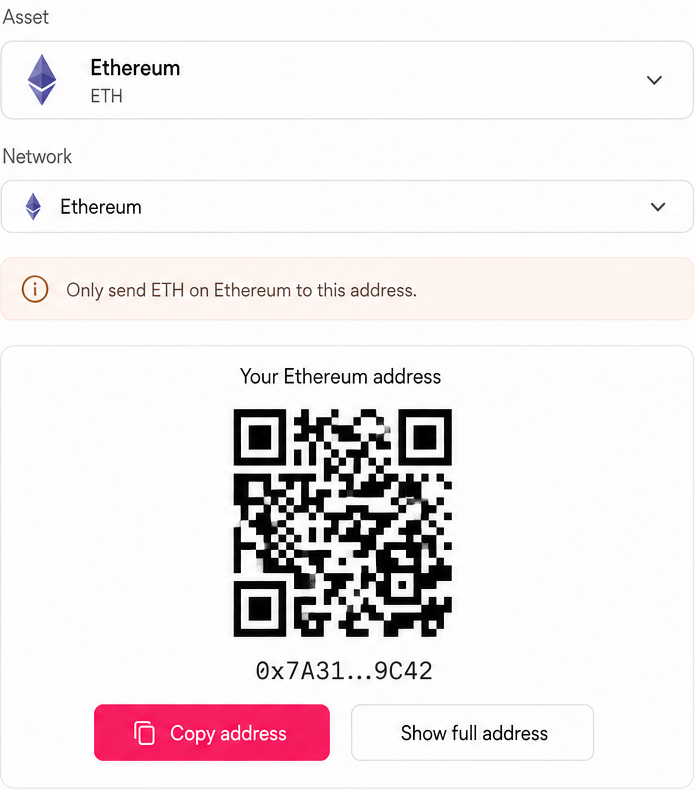
Match the network before sharing
BRD Wallet, short for Bread Wallet, brings 18 supported networks into one self-custody desktop app. Send, receive, track, and access available swap routes on Windows, macOS, and Linux.
No hosted account Keys stay on your device
Built for clarity
Bring Bitcoin and supported networks into one clear portfolio. Filter by network, follow activity in context, and hide balances whenever you need privacy.
See every move in contextFilter every network
Follow activity in context
Hide balances
when needed
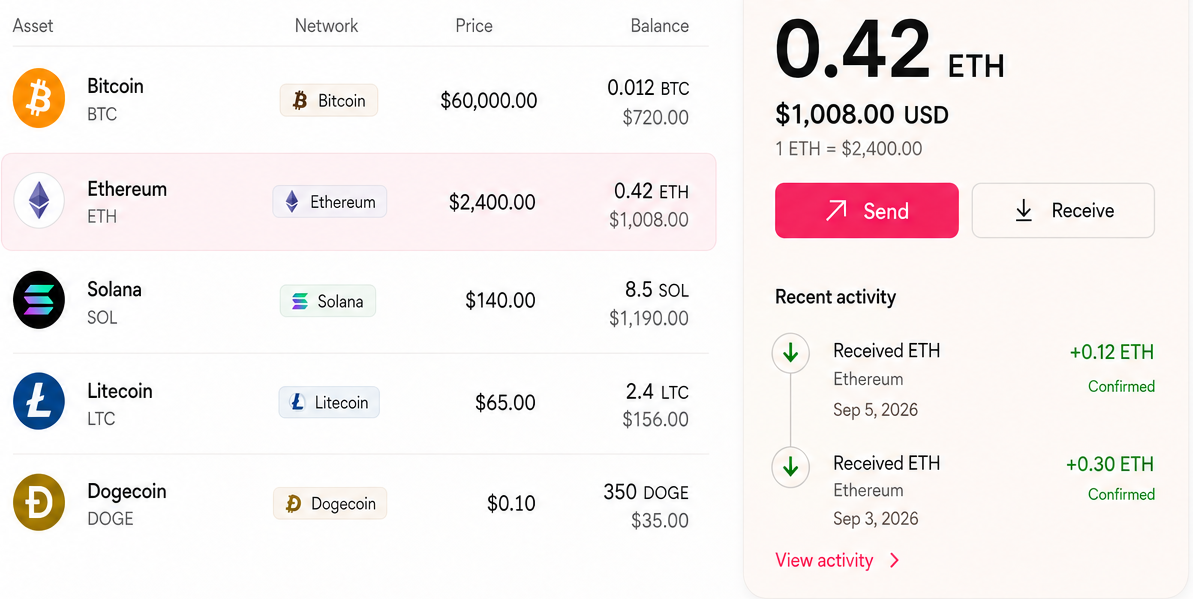
Filter every network
Hide balances
when needed
Follow activity in context
Send Receive Swap Track
Receive on the intended network. Review before you send. Use swap routes when available. Track every transaction from pending to complete.
Match the network before sharing
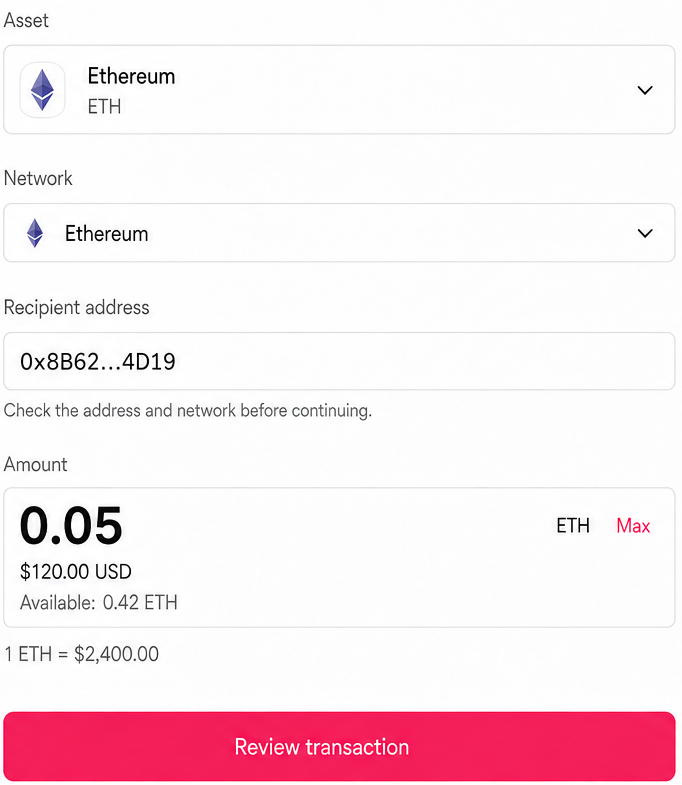
Review before signing
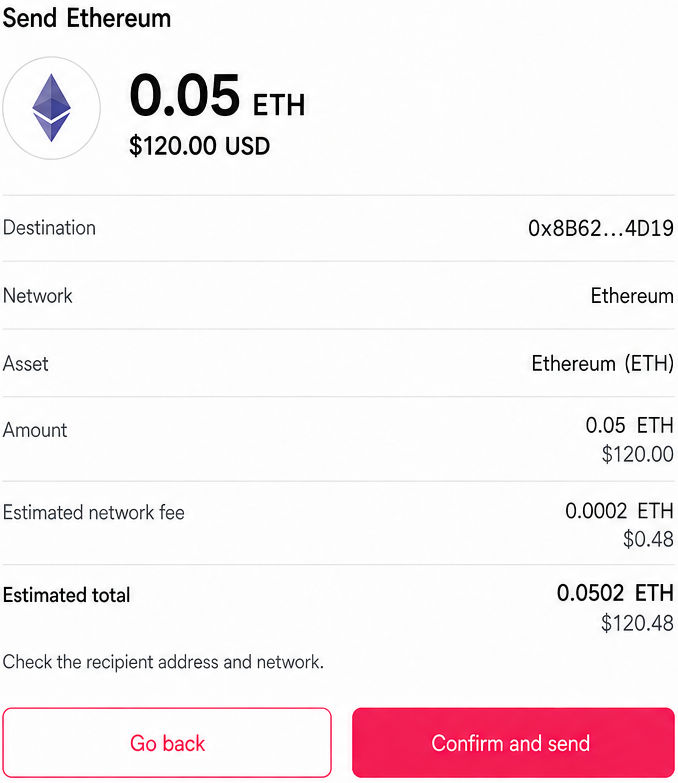
Use routes when available
Follow pending to complete
Before you confirm
Review the destination, network, asset, amount, network fee, and expected result before you approve anything.
If any detail looks wrong, go back and change it before signing.
Private by design
Your private keys and recovery material stay inside an encrypted vault on your device. Hide balances whenever you need privacy, while wallet addresses, balances, recovery material, and private keys stay outside marketing analytics.
Recovery Readiness
BRD Wallet can confirm that you completed an offline backup check without uploading or revealing your 12-word recovery phrase. If you restore later, the phrase is entered only inside the desktop app.
Download BRD Wallet
BRD Wallet is available for Windows, macOS, and Linux. Select your platform to get the right build.
Windows 10 or later 64-bit
.exe
Download for Windows
macOS 12 or later Universal
.dmg
Download for macOS
Ubuntu 22.04 LTS or compatible 64-bit
.AppImage
Download for LinuxA focused update for clearer network context and steadier everyday use.
BRD Wallet FAQ
The essentials about Bitcoin, networks, self-custody, fees, transfers, recovery, and support.
Yes. BRD Wallet is a self-custody Bitcoin wallet for desktop that also supports 17 additional networks in one app.
BRD Wallet supports Bitcoin, Ethereum, Solana, Base, Arbitrum, Optimism, Polygon, Avalanche, BNB Smart Chain, TRON, Cardano, Polkadot, Cosmos Hub, NEAR Protocol, Sui, Aptos, Litecoin, and Dogecoin.
BRD Wallet is free to download and use. Core self-custody features do not require a hosted account or identity verification. Network fees and charges from third-party swap providers may still apply.
Private keys and recovery material are generated and stored locally in an encrypted vault on your device. BRD Wallet does not take custody of your assets, and support cannot access your wallet.
BRD Wallet shows third-party swap routes when they are available. Availability depends on the asset, network, location, and provider. Review the route, fees, and estimated amount received before approval.
Yes. Choose an asset and network supported by both services, then verify that the receiving address uses the same network before sending. BRD Wallet works independently, does not require a Coinbase account, and is not affiliated with Coinbase.
Enter a compatible 12-word recovery phrase inside the BRD Wallet desktop application. If an asset does not appear, check that its network is supported and selected.
No. Support cannot access your wallet, recover a lost phrase, or restore funds without it. Support can help with network selection, sync status, downloads, and transaction troubleshooting using non-secret context such as your operating system, app version, public transaction ID, and issue description.
Your keys. Your networks. Your BRD Wallet